Revisiting classic video games can feel like a treasure hunt. The nostalgia is real, but so is the frustration of dealing with emulators. I’ve spent countless hours figuring out how to set them up and get them running smoothly.
Trust me, it’s a daunting quest. You end up buried in confusing options and settings. You want to relive those pixelated adventures, but you’re met with roadblocks.
I’m here to cut through that clutter. I know the ins and outs of emulators because I’ve lived it. The satisfaction of bringing back those childhood memories with perfect clarity is unmatched.
This guide offers retro game emulator tips that will help you get through the emulator world effortlessly. You’ll find clear, actionable advice to rekindle your favorite gaming moments. Let’s dive in and make those classic games come alive again.
You won’t regret it.
What’s Brewing: Classic Gaming Emulators Unplugged
Ever tried sipping an old-school soda from a can? That’s what firing up a classic gaming emulator feels like. These nifty software tools let modern systems “taste” the essence of older hardware.
Think of it as preserving digital history while giving us a chance to relive those glorious gaming days.
Why do we love emulators? Accessibility. You can play cherished childhood games without dusting off your ancient console.
Plus, they offer enhanced visuals and audio, often surpassing what the original hardware could deliver. Who doesn’t want to see Mario jump in HD?
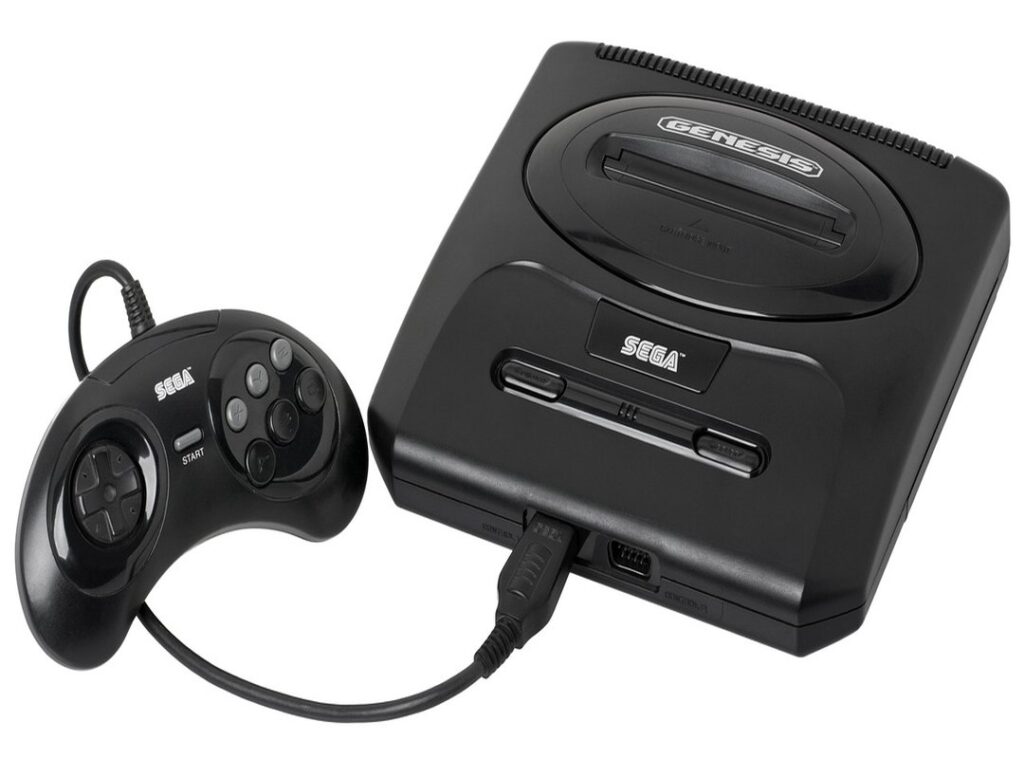
Now, there’s a buffet of emulator types out there. Console-specific ones focus on a single system, while multi-system emulators let you hop from Sega to Nintendo like it’s a buffet. Each has its flavor.
Some people dig the variety, others prefer sticking to one system. No wrong answers here, just more options.
The real kicker? Emulators are a chance to Master Retro Game Controls like never before. Tweak settings, customize controls (your) gaming experience, your way.
It’s like having a retro arcade in your pocket (without the quarters). So, ready to dive into the world of retro game emulator tips and revive those forgotten gems? Let’s game on.
Crafting Your Perfect Retro Setup: Choosing the Right Emulator
Choosing the right emulator isn’t just about playing old games. It’s about finding the perfect match for your gaming style. You want something that feels just right, like slipping on a pair of well-worn sneakers.
But how do you choose?
Start by considering your platform. Are you on a PC, Mac, or Android? Each has its own flavor.
PCs offer a wide range of options, but Macs can be a bit finicky. Android? Great for gaming on the go.
But don’t overlook dedicated handhelds. They’re like the Swiss Army knives of retro gaming (without the cliche).
Next, think about the console you want to emulate. NES, SNES, N64, or maybe PS1? They each have different needs.
Some emulators are fast and simple, while others aim for high accuracy. It’s a trade-off. What do you value more?
Then, weigh the system resources. Do you have a beast of a machine or a modest setup? More power means more options.
Look for key features like save states and controller compatibility. You don’t want to be stuck with just a keyboard. Performance stability is key (oops, I said it), and active community support can save your bacon.
But don’t worry, there’s something out there for everyone.
Here’s a taste test: opt for fast and simple if you’re just dabbling. Go for high accuracy if you’re a purist. Whatever you choose, remember these retro game emulator tips.
They’ll help you craft the perfect setup for your nostalgic journey.
The Secret Sauce: Setting Up Your Emulator for Pure Gaming Bliss
Ever wondered how to transform your PC into a retro gaming powerhouse? With the right retro game emulator tips, it’s like holding a joystick to your childhood. First, grab a reputable emulator.
Let’s not kid ourselves (choosing) a shady download site is a recipe for disaster. Only go for trusted sources, always. Stay safe out there.
Once downloaded, it’s time for some initial configuration. Dive into important settings. You’ll be tweaking video output, audio devices, and input mapping.
Sounds like a chore, but it’s key for that authentic experience. Trust me, you don’t want to botch this.
Now, the heart of your emulator. The ROMs and BIOS files. Know what they are?
ROMs are digital copies of games, while BIOS files let your emulator mimic consoles. But here’s the hitch: get them legally. Use personal game dumps or find homebrew games that are completely legal.
No shortcuts.
Finally, loading your first game. It’s the moment of truth. Fire it up and relish that instant gratification.
Feel the nostalgia wash over you. Last but not least, connect your controller. It’s gotta feel right, doesn’t it?
Map those buttons just as you remember them.
And there you have it. Your emulator is set, and you’re ready to dive into pixelated perfection. Gaming bliss achieved.
Pixels and Play: Feed the Senses
I’ve always believed in the magic of a well-polished emulation. It’s like turning a dusty old cartridge into a feast for the eyes (and ears). Dive with me into the sea of advanced settings that can transform basic pixels into visually stunning gems.

Let’s talk graphics. Forget jagged edges; upscaling and anti-aliasing are your new best friends. They smooth out rough textures and make retro games look incredible on modern screens.
Throw in some shader filters for that authentic retro vibe. Yes, CRT filters do make a difference. Balancing visual fidelity with performance is key here.
What’s the point of looking good if it lags, right?
Sound is just as key. Low latency and crisp sound quality can make those classic chiptunes sing like never before. Trust me, you’ll feel the difference.
Don’t ignore input settings. Fine-tuning controller responsiveness can give you the edge in competitive play. Turbo buttons and hotkeys for save states?
Game-changers.
Managing background processes and tweaking emulator-specific settings will keep gameplay smooth. These retro game emulator tips should raise your experience to new heights. Get ready for a mouthwatering gaming session that honors the classics.
Conquer Retro Gaming’s Puzzles: A Guide
Retro gaming isn’t all pixel love and nostalgia. Sometimes it’s a hassle. Take lag for example.
It’s a common pain. You fire up your favorite classic and wham! Sluggish gameplay.
Adjust those video plugins or reduce the resolution. Check your system resources too. Because why suffer bad performance?
Let’s talk sound. Glitchy audio is a mood killer. Dive into your emulator’s audio settings.
Update your drivers. If you’re wondering about boosting performance, our Boost Score Classic Arcade page is a treasure trove of tips.
Crashing games ruin the fun. Try different ROM versions. Update the emulator.
Controllers not responding? Remap them. Check USB connections, and yes, update those drivers.
Adjust compatibility settings. Community forums? They’re your secret ingredient for tricky issues.
Don’t overlook them. Retro gaming’s a puzzle sometimes, but with these retro game emulator tips, you’re equipped to win.
Dive Into Retro Gaming Bliss!
You’ve nailed it. You’re now ready to start on your classic gaming adventures without the confusing setup.
Remember, retro game emulator tips make all the difference. My advice comes from real experience, ensuring you enjoy every moment of gaming nostalgia.
So why wait? Dive in, experiment, and savor those timeless classics.
Grab your controller, fire up that emulator, and let the gaming magic unfold.
Want more takeaways? Explore deeper retro content for game recommendations that’ll keep you hooked.
Don’t let the fun pass you by. Start your journey today!
 Founder & Creative Director
Lambro Lykosinos is the visionary behind HMCD Retro, driven by a deep passion for classic gaming and digital nostalgia. He founded the platform to preserve and celebrate retro gaming culture in a modern, accessible way. With a strong eye for storytelling and design, Lambro leads the creative direction and overall content strategy. His expertise spans game analysis, industry trends, and community building. He is committed to delivering authentic, high-quality content for dedicated gamers. Through his leadership, HMCD Retro has evolved into a trusted hub for retro enthusiasts. Lambro continues to shape the platform’s voice and long-term vision.
Founder & Creative Director
Lambro Lykosinos is the visionary behind HMCD Retro, driven by a deep passion for classic gaming and digital nostalgia. He founded the platform to preserve and celebrate retro gaming culture in a modern, accessible way. With a strong eye for storytelling and design, Lambro leads the creative direction and overall content strategy. His expertise spans game analysis, industry trends, and community building. He is committed to delivering authentic, high-quality content for dedicated gamers. Through his leadership, HMCD Retro has evolved into a trusted hub for retro enthusiasts. Lambro continues to shape the platform’s voice and long-term vision.